
How do I set an iPhone alarm for one future date?
- Open SetFor and allow alarm access. Start the 7-day trial when you are ready to create an alarm.
- Tap Manual, choose Once, and select the exact future date and time.
- Check the date, time, and alarm name before saving. SetFor registers the alarm with iOS through AlarmKit.
You can also tap Speak and say a request such as “Remind me about the appointment on October 14 at 8 AM.” Review the proposed alarm before confirming it.
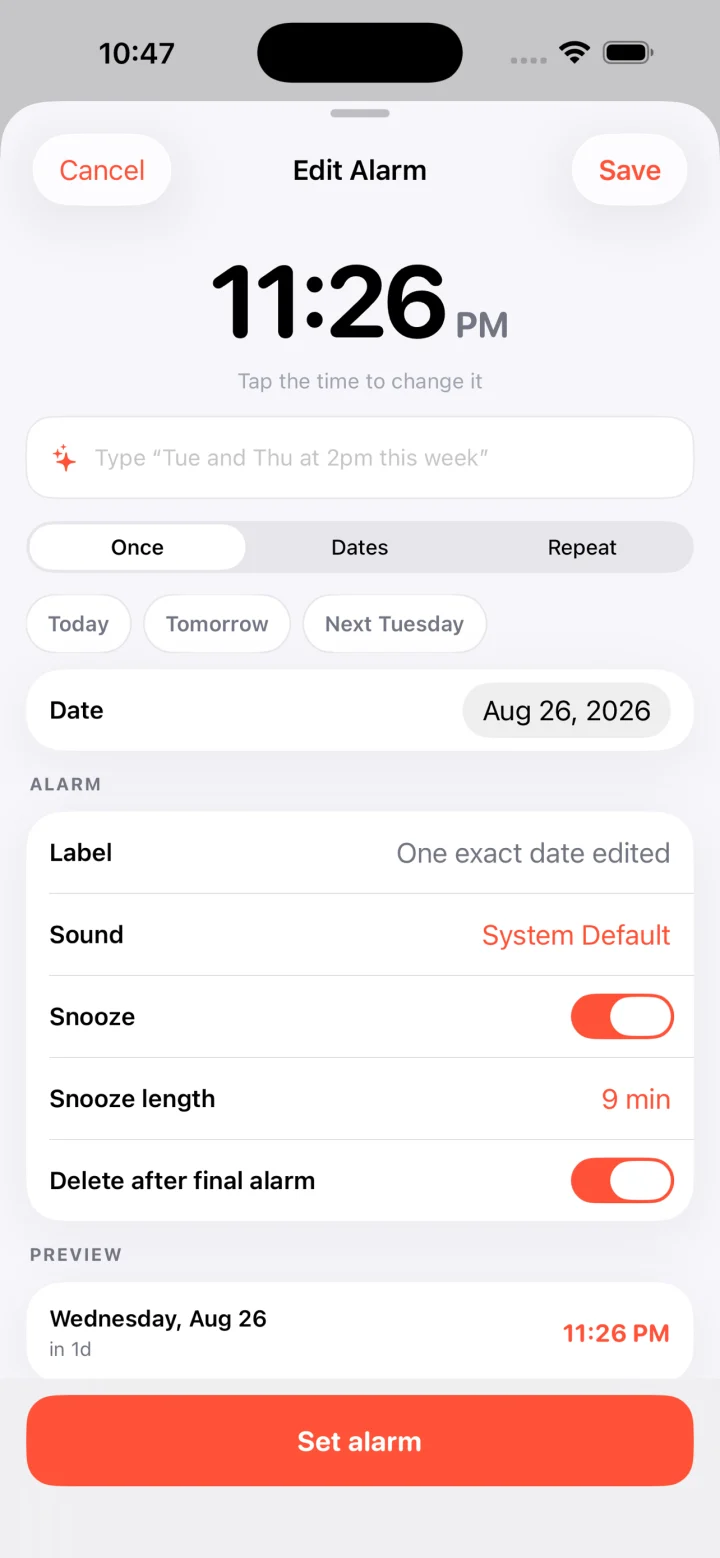
What if the alarm should ring on several irregular dates?
Choose Dates and select each date that matters. Keep them in one schedule when they share an alarm time. For different morning and evening times, create separate schedules. SetFor shows the dates before you save.
This works for appointments, visits, pickups, or bookings made months ahead. It does not depend on a recurring weekday pattern.
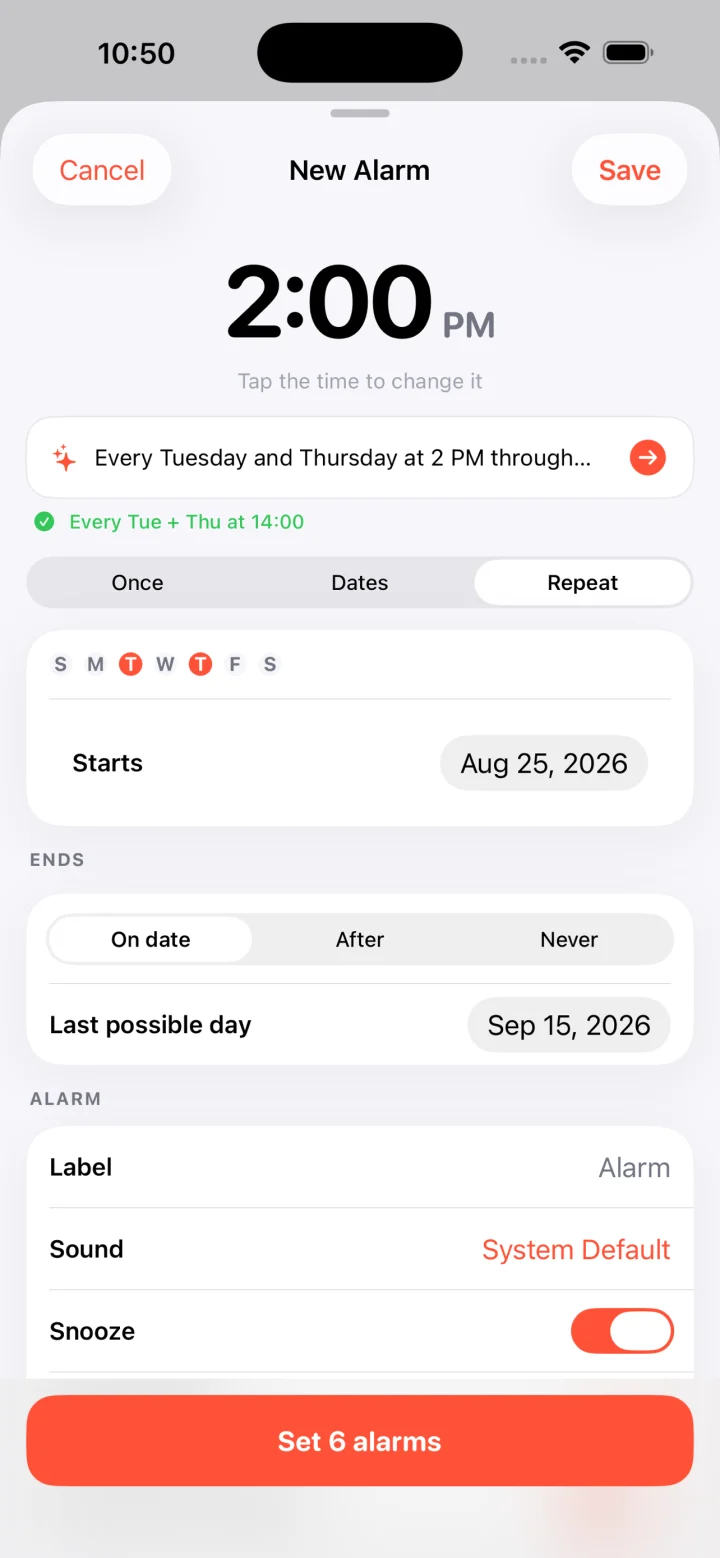
Can a repeating iPhone alarm stop on a chosen date?
Yes, in SetFor. Choose Repeat, select the weekdays and time, then give it an end date or a fixed number of occurrences. Review the upcoming ring dates before creating the schedule. After the last date, it no longer rings under that schedule.
For example, two weeks of weekday walks can end with the booking instead of leaving a permanent 8 AM alarm behind. If you want an ongoing alarm, you can explicitly choose no end date.
Does SetFor read my calendar or booking app?
No. SetFor does not sync automatically with Calendar or Rover and does not request calendar access. Enter the confirmed dates manually, say them with Speak, or import a clear screenshot or photo. Review every proposed date and time, especially if a booking changes.
What does it cost?
SetFor is a free download for iPhone running iOS 26 or later. The full 7-day trial starts when you tap to begin it. There is no card or automatic charge. After the trial, a $4.99 one-time lifetime unlock is required to create or edit alarms. View SetFor on the App Store or read setup and troubleshooting guidance.